
Your financial data is generally processed on your own device.
New in version 1.3.3
Improved PDF imports and clearer recurring series management
FINANZBAR FOR WINDOWS
Private finances. Planned locally.
FinanzBar brings accounts, budgets, transactions, forecasts and savings goals into a calm desktop app – with no cloud requirement or automatic bank connection.
- Local desktop app
- English & German
- Built for Windows
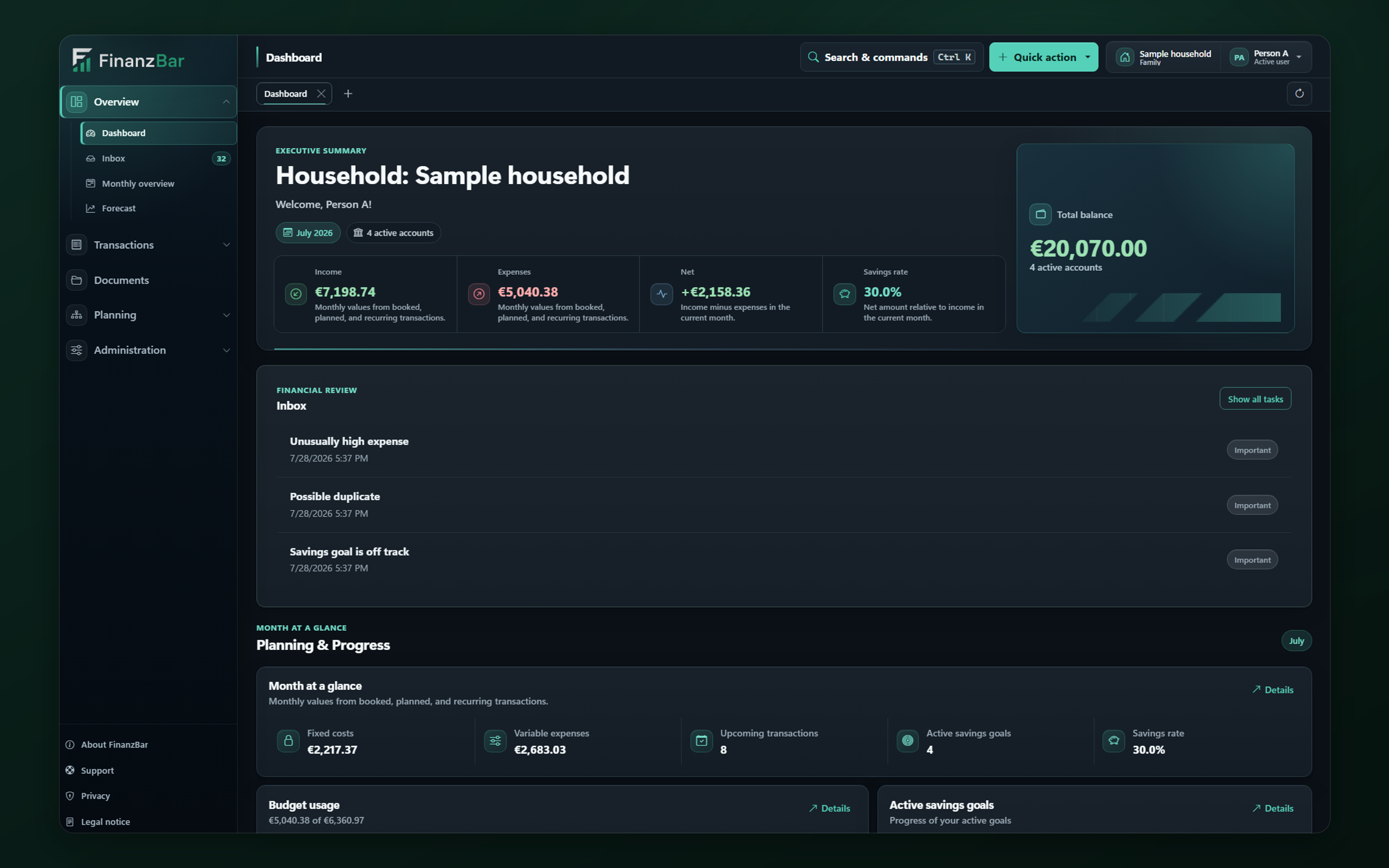
Plan with confidence
Imports, exports and backups remain under your control.
No cloud requirement and no automatic bank connection.
YOUR FINANCIAL ROUTINE
From this month’s picture to your next goal.
FinanzBar organizes the important decisions in your household into a clear, traceable workflow.
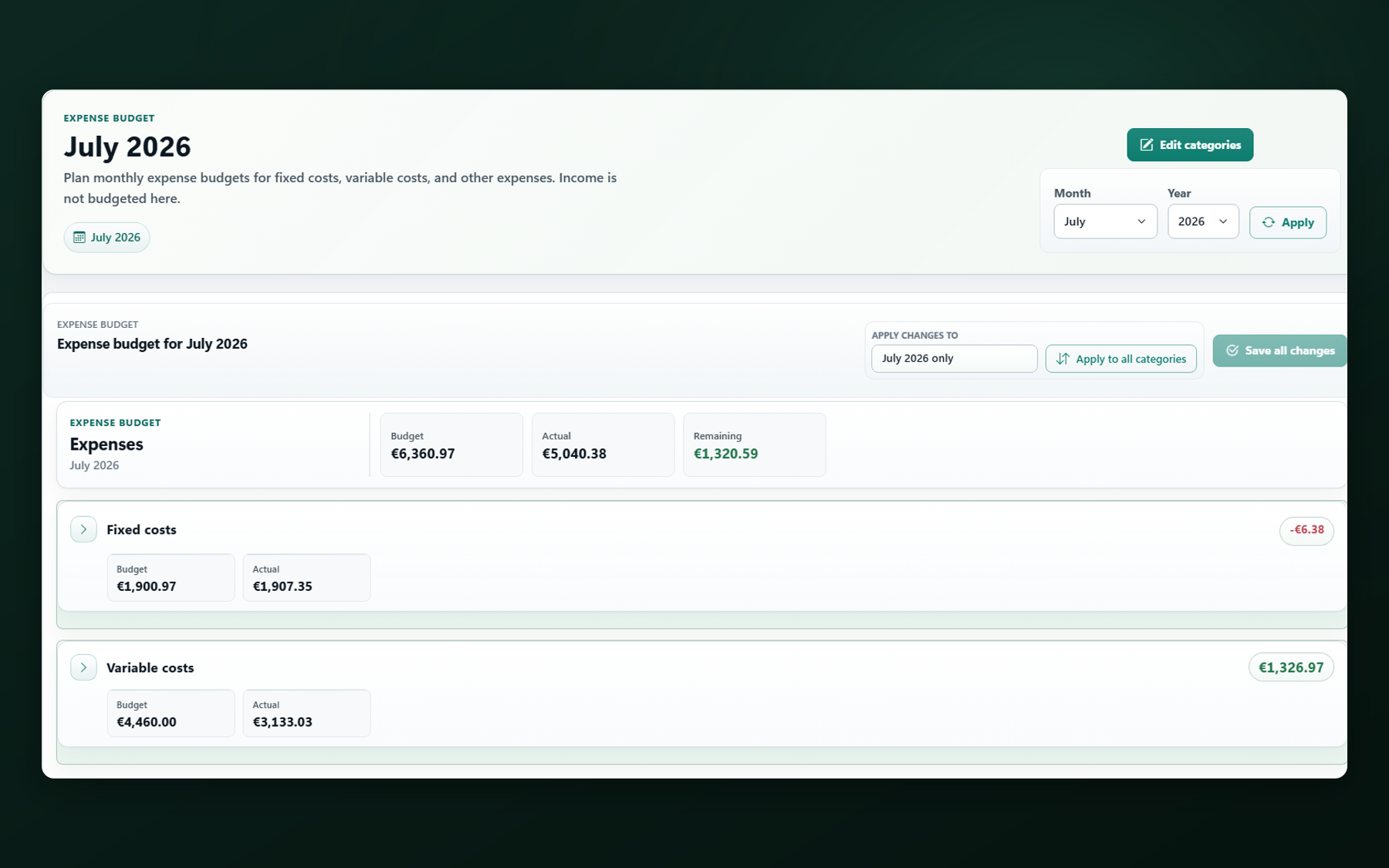
See where your month really stands.
Income, expenses, budgets and remaining room come together in a clear monthly overview.
- Budget usage by category
- Balances and transactions in context
- Trends instead of isolated figures
Plan today for what moves tomorrow’s budget.
Scheduled and recurring transactions flow into your forecast, helping you spot tighter periods sooner.
- Recurring payments in view
- Forecasts for future periods
- Savings goals with visible progress
Your data stays traceable and under your control.
Backups, exports, change history and trash give you control without tying your household ledger to an online account.
- Controlled backup and restore
- Readable JSON and CSV exports
- Audit trail, trash and undo
MORE CONTROL, LESS SEARCHING
Tools that stay calm, even with many transactions.
The current 1.3.3 release improves Sparkasse PDF bank statement imports and recurring transaction management.
Financial inbox
Review imports, uncertain categories, possible duplicates, missing receipts and deviations in one place.
Transaction search
Filters, sorting, saved views and safe bulk actions bring order to long lists.
Bank-file import
Import CSV, CAMT, MT940, OFX or QIF with a preview and improved duplicate detection – locally, with no online-banking connection.
Accounts & transfers
Record proper transfers, reconcile accounts and keep dated balance adjustments traceable.
PIN & Windows Hello
Protect app access with a PIN and optionally use Windows Hello on compatible devices.
Audit, trash & undo
Critical changes remain visible, and supported actions can be undone in a controlled way.
LOCAL-FIRST
Not another finance dashboard in someone else’s cloud.
FinanzBar is a local Windows desktop app. You decide what data you enter, import, export or share with support.
-
01
Capture
Transactions, budgets and goals are created on your device.
-
02
Process
Planning and analysis run inside the local app.
-
03
Take with you
You deliberately start and manage exports and backups.
Transparency matters: the local SQLite database is not presented as fully encrypted. See the Privacy Policy for details. Privacy Policy
CURRENT RELEASE
Improved PDF imports and recurring transactions.
The current release supports additional Sparkasse PDF bank statements and makes the effects of recurring series actions and the handling of protected transactions easier to understand.
- Import compact Sparkasse PDF bank statements
- End or archive recurring series with clearer guidance
- Understand why transactions are excluded from bulk actions
Complete version history since 1.0.0
Read all patch notes
START WITH FINANZBAR
Your financial planning belongs on your desktop.
FinanzBar is intended for distribution through Microsoft Store. Purchase, licensing and Store account processes are handled there.
- Windows desktop app
- Local financial planning
- English and German interface
Open Store listing
Store ID 9MXBH7ZQJMFB · External link to Microsoft
GOOD TO KNOW
Common questions, clear answers.
01Is FinanzBar a cloud app?
No. FinanzBar is designed as a local Windows desktop app. No FinanzBar cloud account is required for its core features.
02Does FinanzBar connect to my bank automatically?
No. A production online-banking connection is not included. Bank files can be imported deliberately as CSV, CAMT, MT940, OFX or QIF.
03Is all of my local data fully encrypted?
The SQLite database itself is currently unencrypted, and FinanzBar presents this transparently. New backups and documents receive local protection; the readable raw-data export is deliberately unencrypted.
04Who is FinanzBar for?
Individuals, couples, families and other private households who want a clear way to plan accounts, budgets, goals and recurring payments.
05Does FinanzBar provide tax, legal or investment advice?
No. FinanzBar is a tool for personal overview and household planning and does not replace professional advice.
QUESTIONS OR FEEDBACK?
We’re here to help personally.
For app questions, bug reports or website feedback, you can reach FinanzBar support directly by email.